A GermGuardian air purifier is only as effective as its filters, and a clogged or worn filter won’t protect your home’s air quality, no matter how advanced the unit. Whether you’re running a GermGuardian AC4825 in a bedroom or a larger AC5250PT in the main living area, understanding when and how to replace filters keeps your air purifier working at peak performance. This guide walks you through every aspect of filter maintenance, from identifying your purifier’s filter type to swapping it out and extending filter life. By the end, you’ll know exactly how often to replace filters, what signs signal a replacement is overdue, and how to squeeze maximum lifespan from each filter without compromising air quality.
Table of Contents
ToggleKey Takeaways
- GermGuardian air purifier filters consist of a washable pre-filter, a disposable HEPA filter, and an activated carbon filter, with most filters lasting 6 to 12 months depending on usage and air quality.
- Replace your GermGuardian air purifier filter when the filter-change indicator light turns on, airflow weakens noticeably, or the filter appears dark gray or brown instead of light gray.
- Replacing a filter takes under five minutes—unplug the unit, open the panel, remove the old filter, rinse the pre-filter if needed, insert the new filter with correct orientation, and press the filter-reset button.
- Extend filter lifespan by rinsing the pre-filter every 2–4 weeks, positioning the purifier away from walls and obstructions, maintaining humidity below 60%, and vacuuming your home regularly to reduce contaminant load.
- GermGuardian replacement filters cost $20–$40 each; buy from reputable retailers like Amazon, Walmart, or Best Buy to avoid counterfeit filters that won’t provide proper HEPA filtration.
Understanding GermGuardian Filter Types and Your Purifier Model
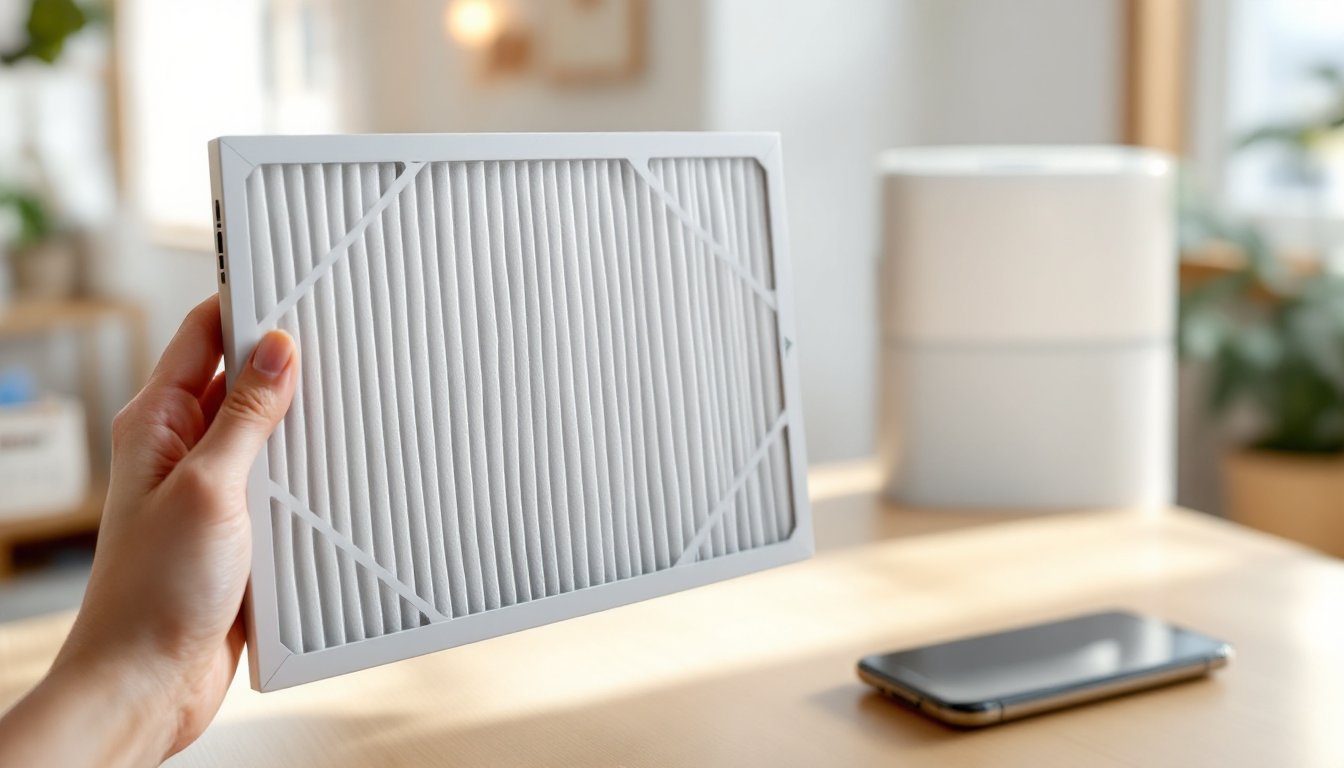
GermGuardian air purifiers come with different filter configurations depending on the model. Most units use a three-stage filtration system: a pre-filter (capturing large dust particles), a HEPA filter (removing 99.97% of particles 0.3 microns or larger), and an activated carbon filter (reducing odors and certain gases).
The pre-filter is washable and reusable, a quick rinse under cool running water every 2–4 weeks keeps it clean without replacement cost. The HEPA and carbon filters are disposable and need periodic replacement.
Common GermGuardian models use filters like the FLT4825 (fits AC4825), FLT5250 (fits AC5250PT), and FLT5111 (fits AC5111). Check your purifier’s manual or look on the unit’s housing, model numbers are printed there. Ordering the correct filter prevents wasted money and ensures proper fit and filtration efficiency. If you’re unsure, contact GermGuardian’s support or check retailer listings for your specific model.
When to Replace Your GermGuardian Air Purifier Filter
Most GermGuardian HEPA and carbon filters last 6 to 12 months, depending on air quality, usage hours, and household factors like pet dander or smokers in the home. Heavy-use environments (running 24/7, multiple pets, or high pollution) may need replacement every 4–6 months.
Watch for these warning signs: the purifier’s filter-change indicator light turns on (many units have built-in sensors), airflow feels noticeably weaker, or you smell stale air instead of fresh output. Don’t ignore these cues, a saturated filter forces the motor to work harder and reduces its lifespan.
Check the filter visually every 3 months. Hold it up to light: if it looks dark gray or brown (versus light gray or white when new), replacement is due soon. Running the purifier on high speed increases usage and may shorten filter life compared to medium or low settings. Keep a simple calendar reminder or set a phone alert every 6 months to inspect filters, one quick look takes 30 seconds and prevents poor air quality surprises.
Step-by-Step Filter Replacement Instructions
Replacing a GermGuardian filter takes under five minutes and requires no tools. Here’s how:
1. Unplug the purifier from the outlet. This is a critical safety step, never work on any electrical appliance while powered on.
2. Open the rear or side panel where filters are housed. Most GermGuardian units have a pop-off or slide-off panel held by a few plastic clips or a simple latch.
3. Remove the old filter. Gently pull it straight out. If you’re replacing just the HEPA/carbon layer (not the pre-filter), note the orientation, the filter has an inlet side and outlet side, and reinstalling it backward reduces effectiveness.
4. Inspect the pre-filter. If it looks dirty, rinse it under cool running water and let it air-dry completely (about 10 minutes) before reinstalling. Wet filters can trap moisture and reduce airflow.
5. Insert the new filter in the same orientation as the old one. Most filters are labeled with arrows showing airflow direction. Push until you hear or feel a click, confirming it’s seated properly.
6. Close the panel and plug the purifier back in. If your unit has a filter-reset button (often a small button on the back or control panel), press it to clear the filter-change indicator.
7. Run the purifier on high for 5–10 minutes to prime the new filter and clear out any manufacturing dust. No special prep is needed on new filters.
Extending Filter Lifespan: Maintenance Tips for Homeowners
While GermGuardian filters are designed for single-use, a few practices extend their effective life and keep your air cleaner longer.
Keep the pre-filter clean. Rinsing it every 2–4 weeks (or more often in dusty homes or if you have pets) prevents debris from clogging the HEPA filter beneath. A clean pre-filter takes the load off the main filter, extending its service life by several months in some cases.
Place your purifier strategically. Position it away from walls (at least 6 inches away on all sides) and away from vents, curtains, and furniture that can block intake. Good air circulation around the unit means less strain on the filter.
Use the purifier consistently. Continuous operation (or at least several hours daily) is better than random use. Running it constantly at medium speed creates steadier airflow than frequently switching between high and off, which stresses the motor and forces filters to work harder when restarted.
Vacuum and dust your home regularly. The cleaner your indoor air is at baseline, the less work your purifier does. Vacuuming with a HEPA-filter-equipped vacuum, dusting surfaces, and reducing clutter all lower the contaminant load on the air purifier’s filters.
Monitor humidity. Excess moisture (above 60% relative humidity) can degrade filters faster. Using a dehumidifier or running exhaust fans in bathrooms and kitchens keeps humidity in the ideal 30–50% range.
Cost Considerations and Where to Buy Replacement Filters
GermGuardian replacement filters typically cost $20–$40 per filter, depending on the model and retailer. Pre-ordering filters or buying in bulk (e.g., a two- or three-pack) can reduce per-unit cost by 10–15%. Over a year, budget $60–$120 for filters if you replace both HEPA and carbon components every 6–12 months.
Buy filters from established retailers: Amazon, Walmart, Target, and Best Buy stock most GermGuardian models. Home improvement stores like Home Depot and Lowe’s occasionally carry them. Ordering directly from GermGuardian’s website guarantees authentic filters but may have shipping delays.
Beware of counterfeit filters on lesser-known marketplaces, they’re cheaper but perform poorly and won’t provide the promised HEPA filtration. Stick with reputable sellers and verify the filter model number matches your purifier. Reading product reviews from trusted sources like Good Housekeeping helps you understand filter performance expectations for popular models.
Subscription services for automatic filter delivery exist through some retailers, ensuring you never run out. If you run your purifier heavily or live in a dusty environment, setting up a monthly reminder to check the pre-filter and a quarterly reminder to inspect the HEPA filter prevents surprises.
Troubleshooting Common Filter Issues
Filter light stays on after replacement. You likely forgot to press the filter-reset button on the control panel or unit back. Consult your manual for its exact location and press it for 3–5 seconds until the light clears.
Weak airflow even with a new filter. The pre-filter may be clogged, rinse it immediately. If the pre-filter is clean and airflow is still poor, the new filter may not be seated correctly. Open the panel, remove the filter, and reinsert it, ensuring it clicks or locks into place properly.
Unusual odor from the purifier after replacement. New filters sometimes emit a slight paper or manufacturing smell for the first 30 minutes. Run the unit on high speed for 10–15 minutes with a window open. If the odor persists after an hour, the filter may be defective, contact the retailer for a replacement.
Filter isn’t the right size or doesn’t fit the purifier. Double-check your model number against the filter packaging. GermGuardian models are numbered differently (AC4825 vs. AC5111), and ordering the wrong filter is an easy mistake. Most retailers accept returns on unopened filters, so swap it out immediately.
Visible dust coming from the purifier outlet. If dust escapes from the exhaust, the filter seal is broken or the filter wasn’t inserted correctly. Power off, remove the filter, and reinstall it carefully. If the problem persists, the filter may be damaged, replace it. For persistent technical issues, CNET’s comprehensive product reviews and troubleshooting guides offer detailed support resources for popular air purifier models.
Conclusion
Maintaining your GermGuardian air purifier boils down to regular filter checks, timely replacement, and simple preventive care. Identify your model, inspect filters every 3 months, replace them when they look dark or airflow weakens, and rinse the pre-filter frequently. These small actions keep your air purifier working efficiently, protect your indoor air quality, and avoid costly emergency replacements. When you do replace filters, stick with genuine GermGuardian filters from reputable retailers and follow the straightforward installation steps outlined above. With this maintenance routine in place, your purifier will run reliably for years.